
 Български
 Čeština
 中文
中文 Dansk
Dansk Nederlands
 Eesti
Eesti Suomi
Suomi Français
 Deutsch
 Ελληνικά
 Magyar
 Italiano
 Latviešu
 Lietuvių
 Malti
Malti Polski
 Português
 Română
 Slovenčina
 Slovenščina
 Español
 Svenska
 Hrvatski
 Srpski
 Српски
 Bosanski
 Русский
 Türkçe
 Català
 Cymraeg
 Gaeilge
 Íslenska
 Lëtzebuergesch
 Македонски
 Norsk
NorskAdd a Webshop to Your Existing Website with an Embeddable Shop Widget
Look, let’s be real here: if you’re running a business today, you absolutely need an online presence. I mean, we're in 2026! If you're a small or medium business owner thinking about adding a webshop to your site, you’re definitely not alone. But do you really want to go through the hassle of a complete website overhaul? Ugh, sounds like a headache, right? That’s where an embeddable shop widget comes to the rescue.
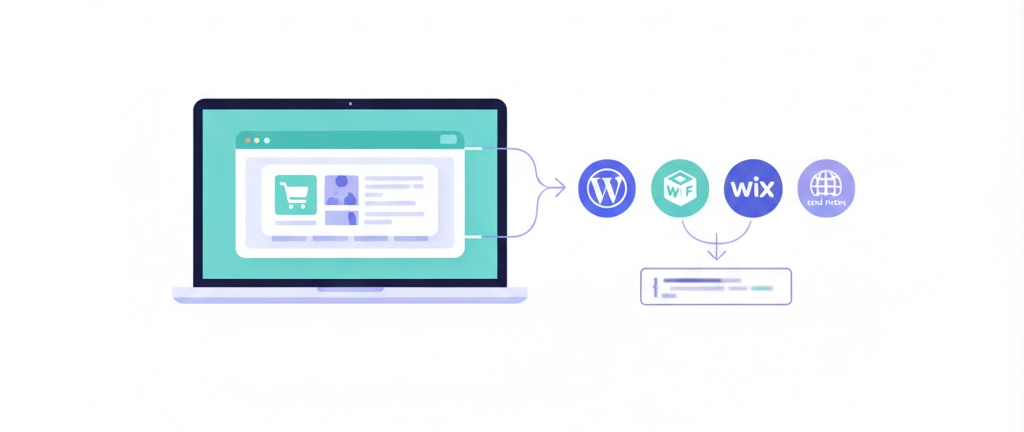
You heard of Shopwidget? It’s this nifty tool that lets you integrate a fully functional webshop right into your existing website—whether you’ve built it on WordPress, Webflow, Wix, or other platforms. Seriously, all it takes is a quick embed code, and you’re golden.
What is Shopwidget?
So, what's the scoop on Shopwidget? In my experience, it's this innovative e-commerce solution that’s pretty much tailor-made for small businesses, restaurants, and online shops. It lets you add an online store without ripping your website apart. You can integrate products, categories, and checkout processes all in a lightweight widget. This is perfect if you're looking to up your online sales game without getting bogged down by all the complexities and costs of traditional e-commerce platforms.
Why Go for an Embeddable Shop Widget?
You know what? You might be thinking, “Why should I care about an embeddable shop widget?” Good question! Here’s the deal: it’s all about simplicity and efficiency. With just an embed code, you can slap e-commerce capabilities directly onto your site. This means you can start selling almost immediately—no major redesigns needed. Here’s why you’re gonna love it:
-
Fast Setup: Honestly, one of the best things about Shopwidget is how quickly you can get it up and running. I’ve seen other platforms take hours—sometimes even days—to configure. With Shopwidget, you can have it live in just a few minutes. For busy business owners, this is a game changer.
-
Affordable Pricing: At just €25 a month, it’s a steal! Compare that to many alternatives that hide fees behind complicated pricing tiers, and you’ll see why Shopwidget is a standout. You’ll know exactly what you’re paying for, which makes life a lot easier when it comes to budgeting.
-
Lightweight and Flexible: No one likes a sluggish website. Trust me, Shopwidget won’t slow you down. You get all the e-commerce features without the resource drain that comes with heavier platforms like Shopify or Magento.
Getting Started with Shopwidget
So, are you ready to dive in? Let’s break it down step by step.
Step 1: Sign Up for Shopwidget
First off, head over to the Shopwidget website and sign up. It’s super quick and user-friendly. You’ll be exploring the features in no time.
Step 2: Configure Your Products
Once your account's set up, adding products is a breeze. The interface is designed to be intuitive—upload some images, write catchy descriptions, set your prices—easy peasy.
Step 3: Generate the Embed Code
After you’ve got your products all lined up, Shopwidget will give you an embed code. This is your golden ticket for integrating e-commerce into your existing site.
Step 4: Paste the Embed Code
Now, find the part of your website where you want your shop to show up. Just paste that embed code into the HTML section. Depending on what CMS you’re using—WordPress, Webflow, Wix, or whatever—you’ll find this process pretty straightforward.
Step 5: Launch Your Webshop
Once you’ve pasted the code, take a moment to preview your site and check that everything looks cool. If you're happy with it, hit ‘Launch’ and start selling! Seriously, it’s that simple.
Performance and User Experience
One of the coolest things about Shopwidget is how lightweight it is. You won’t have to worry about heavy scripts slowing down your site, which means a smoother shopping experience for your customers. And you know that’s crucial for keeping those conversion rates up.
Real-Life Example
Let me paint a picture for you. I once worked with a small café that had its menu online but wasn’t doing much else. By adding Shopwidget, they set up an online ordering system for pastries and drinks. Customers could browse, add items to their cart, and checkout—all without leaving the café’s website. This kind of seamless integration not only jazzed up the customer experience but also opened new revenue streams for them. Honestly, it was a perfect example of how easy it can be to evolve.
Wrap Up
So there you have it: adding a webshop to your existing site doesn’t have to be a scary beast. With Shopwidget, you can integrate a fully functional e-commerce solution without tearing down your site or needing a tech degree. Fast setup, low cost, and flexibility make it a no-brainer for small and medium businesses looking to boost their online game.
If you’re ready to dip your toes into the world of online selling, keep an eye on what Shopwidget can do for you.
Ready to get started with Shopwidget?
Join thousands of businesses that have already simplified their e-commerce with Shopwidget.
Frequently Asked Questions
-
How much does Shopwidget cost?Shopwidget is priced at €25 per month, with no hidden fees, making it an affordable solution for small and medium businesses looking to add e-commerce functionality.
-
Do I need technical skills to set up Shopwidget?No, Shopwidget is designed for easy setup. You can integrate it into your existing site by simply copying and pasting an embed code, requiring no advanced technical skills.
-
Can I use Shopwidget on different platforms?Yes, Shopwidget works on various platforms, including WordPress, Webflow, and Wix, allowing you to add e-commerce functionality to your existing website regardless of its design.
-
What kind of products can I sell with Shopwidget?You can sell a variety of products with Shopwidget, as it is adaptable to different types of businesses, including physical goods, digital products, and services.
-
Is there customer support available if I need help with Shopwidget?Yes, Shopwidget provides customer support to assist you with any questions or issues you may encounter while setting up or using the service.
-
Can I add a webshop to multiple websites with the same Shopwidget account?Yes, you can use the same embed shop code on multiple websites, allowing you to add a webshop to several existing sites while managing products and orders from one central dashboard.
-
Will embedding a webshop slow down my existing website?No, Shopwidget is built as a lightweight embed store solution, so it loads efficiently and is optimized to have minimal impact on your existing website’s performance and page speed.
-
Can I customize the look and feel of the embedded webshop?Yes, you can customize the design of your embed webshop, including colors, layout, and certain display options, so the embedded store matches the style of your existing website.
-
Is it possible to embed only specific products or categories instead of the full webshop?Yes, Shopwidget allows you to embed a full webshop, selected categories, or individual products, giving you flexibility in how you add ecommerce sections to your existing site.
-
Does Shopwidget support secure payments in the embedded store?Yes, Shopwidget integrates with secure payment providers so that all transactions in your embedded webshop are processed safely, giving your customers confidence when buying directly on your existing website.